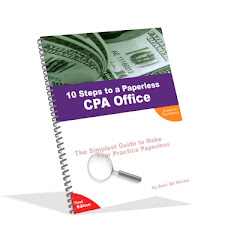
My idea of a paperless office - was not impossible - I found out
I had my own small ($300k) CPA practice in Dallas, TX for close to 8 years before I sold it in March 2005. I had been thinking about converting into a paperless practice for a long time but could not do so because of some major issues in convincing my senior staff members. Finally, in the last quarter of 2003, I got the opportunity to take charge of the situation and did so.My idea of a paperless office was that I would have every single document related to client work in electronic format on my server and I would be able to see it from anywhere in the world. Accessing from anywhere in the world was not a problem because I already had a T1 line in my office and had a static IP for my server. If you are not familiar with that we can discuss that more in this forum. In any case, I was able to access my server from anywhere in the world where I had internet access. So, my only next step was how to have everything that I need to see in my office be available on the server. So, if I was working on a client matter, I would have to see some old documents from the file and for that either I would have to carry the papers with me or come to office to work on it. What if I could see those documents online wherever I was then there was no need for me to do either.So, I studied a lot about the various possibilities and then developed my own plan on how to implement it. I decided my own way rather than using any ready made solution. I discovered that a paperless office is actually achieveable and it is highly efficient. For the eight years I had been in practice, I had always loved to go to work and looked forward to it, but the last 16 months were the best of them. I was able to work wherever I wanted to, the office was extremely organized, no papers floating around and extremely efficient response to the clients. It was an amazing experience to be working in a paperless office. I actually experienced how it feels to not have any lost papers, and to be able to look up a document you need within seconds rather than take 5-10 minutes to go look for it.I am now helping out other CPAs with this process. This is an open forum - for all kinds of thoughts - for and against - on a paperless CPA practice. Go ahead and share your ideas and thoughts about a paperless office.
Saturday, December 24, 2005

Thursday, December 15, 2005
Amir Morani's response to David Kupferman CPA
-----Original Message-----
From: A. Morani CPA CMA CFM MBA [mailto:morani@officewithoutpapers.com]
Sent: Thursday, December 15, 2005 8:27 AM
To: David Kupferman, CPA
Subject: RE: Question on running a paperless CPA office.. job/task tracking
I remember you mentioning about your size of the practice being significantly larger than mine so I am not sure if my solution is good for you or not. Still, let me tell you how my office operated and if that works for you or if you already have something like that in place and are looking for even better solution.
I was using Microsoft Outlook in my office like crazy. Every single staff member was required to maintain their tasks on Outlook. Each of them had a category for each of their clients - so clients were categories. I was using the same categories in my system. Whenever there was a project to be worked on for a client I would send a task to them internally and they would accept it. By accepting, the task would appear on their list under the respective client category and on my list as task assigned to a particular staff member. Whenever they made progress on the task they would update the task on their computer and I would automatically get update in my system and I could see where it stands. I would print out my task list in a format where it showed the tasks assigned to each staff member separately. They would print out a task list which would be categorized by client. So, at any given time, you could get a printout from their task list to see what is pending for each client. That task list was always up to date because they were required to enter every thing that they were working on for any client into that task list before starting on it. Actually, they were supposed to enter it immediately upon the determination that it needs to be done even if it was to be done 15 days from now. That way we never lost track of client work. My practice was to very frequently ask them to email me (or place a printout in my inbox) their task list.
Microsoft Outlook (not Outlook Express) turned out to be a great organization asset for my firm. I used the Task system and the calendar in there very extensively and for more than 3 years before I got on to the paperless bug. It worked extremely well for me as I was able to monitor it wherever I was in the world.
I am not sure if I answered your question. I tried based on what I understood of the question. I have not used Lacerte as I developed my own system and that is what I am very strong about. Developing your own filing system gives you total control of the process and you can improve it as you like. You really don't need any ready-made solution as Adobe becomes a printer option on your system and you can print any document (including tax
return) in PDF format and save it in any folder you like.
I apologize for delay in response as I was taking care of some out-of-office work yesterday.
May I have your permission to post your question and my answer on my blog?
Thanks.
Regards,
Amir Morani
From: A. Morani CPA CMA CFM MBA [mailto:morani@officewithoutpapers.com]
Sent: Thursday, December 15, 2005 8:27 AM
To: David Kupferman, CPA
Subject: RE: Question on running a paperless CPA office.. job/task tracking
I remember you mentioning about your size of the practice being significantly larger than mine so I am not sure if my solution is good for you or not. Still, let me tell you how my office operated and if that works for you or if you already have something like that in place and are looking for even better solution.
I was using Microsoft Outlook in my office like crazy. Every single staff member was required to maintain their tasks on Outlook. Each of them had a category for each of their clients - so clients were categories. I was using the same categories in my system. Whenever there was a project to be worked on for a client I would send a task to them internally and they would accept it. By accepting, the task would appear on their list under the respective client category and on my list as task assigned to a particular staff member. Whenever they made progress on the task they would update the task on their computer and I would automatically get update in my system and I could see where it stands. I would print out my task list in a format where it showed the tasks assigned to each staff member separately. They would print out a task list which would be categorized by client. So, at any given time, you could get a printout from their task list to see what is pending for each client. That task list was always up to date because they were required to enter every thing that they were working on for any client into that task list before starting on it. Actually, they were supposed to enter it immediately upon the determination that it needs to be done even if it was to be done 15 days from now. That way we never lost track of client work. My practice was to very frequently ask them to email me (or place a printout in my inbox) their task list.
Microsoft Outlook (not Outlook Express) turned out to be a great organization asset for my firm. I used the Task system and the calendar in there very extensively and for more than 3 years before I got on to the paperless bug. It worked extremely well for me as I was able to monitor it wherever I was in the world.
I am not sure if I answered your question. I tried based on what I understood of the question. I have not used Lacerte as I developed my own system and that is what I am very strong about. Developing your own filing system gives you total control of the process and you can improve it as you like. You really don't need any ready-made solution as Adobe becomes a printer option on your system and you can print any document (including tax
return) in PDF format and save it in any folder you like.
I apologize for delay in response as I was taking care of some out-of-office work yesterday.
May I have your permission to post your question and my answer on my blog?
Thanks.
Regards,
Amir Morani
Question by David Kupferman CPA - A Paperless CPA
-----Original Message-----
From: David Kupferman, CPA
Sent: Tuesday, December 13, 2005 4:11 PM
To: A. Morani CPA CMA CFM MBA
Subject: RE: Question on running a paperless CPA office.. job/task tracking
Hello
Question for you -->
In my tax CPA office we use Lacerte software and now we are using their DMS. When staff fotocopy (now scan) docs, enter data, I review and return to staff with review notes, they fix, I review again ... etc till the return is done.... the trigger has been where the paper client file has been located (ie: what shelf it is on, whose room it is in, etc...).
We prepare tax returns sometimes of back years for client also thus Lacerte's client tracker and status report features are stupidly only by year... thus what software or mechanism do you recommend to track work progress and to also trigger staff to start work, to answer questions, etc... ???
The Lacerte DMS seems good but I am bit frightened about tracking of client work/projects... must find a decent solution...
Thanks
David
From: David Kupferman, CPA
Sent: Tuesday, December 13, 2005 4:11 PM
To: A. Morani CPA CMA CFM MBA
Subject: RE: Question on running a paperless CPA office.. job/task tracking
Hello
Question for you -->
In my tax CPA office we use Lacerte software and now we are using their DMS. When staff fotocopy (now scan) docs, enter data, I review and return to staff with review notes, they fix, I review again ... etc till the return is done.... the trigger has been where the paper client file has been located (ie: what shelf it is on, whose room it is in, etc...).
We prepare tax returns sometimes of back years for client also thus Lacerte's client tracker and status report features are stupidly only by year... thus what software or mechanism do you recommend to track work progress and to also trigger staff to start work, to answer questions, etc... ???
The Lacerte DMS seems good but I am bit frightened about tracking of client work/projects... must find a decent solution...
Thanks
David
Monday, December 05, 2005
Question and Comment (and my response) to Richard Moore II CPA
Thanks for your kind comments.
During the whole period over two years that I used my own paperless system I never had an occasion when I felt I needed to be able to search within a document. Think about your own current manual system. How do you search for a file? You know exactly what document you are looking for and you go and pull it out. Most CPAs know exactly what document they are looking for and by the naming convention I have suggested you will hardly ever have a problem searching the exact document you are looking for. The name of the document will give it away all for you. Having said all that, the PDF converting software that you use can change all of that for you. The Scansoft guys have a little advanced software (still not more than $100, I think). So, if you use that software to scan your documents you can add that feature into your document search without any extra step or cost (except the little difference in the software price). I hope I answered your question well enough.
Thanks.
-----Original Message-----From: Richard L Moore II CPA
Sent: Sunday, December 04, 2005 4:05 PMTo: Amir Morani CPA CMA CFM MBASubject: Re: Be ready to join online sessions on Paperless Office
Mr. Morani,
I have read about half of the manual so far this weekend. I noted you have chosen to use Windows Explorer instead of document management software from a third party vendor (i.e.: recollect). What do you use for searches to look within the documentation?
Your manual is quite helpful, worth the price.
Thank you.
Richard Moore
During the whole period over two years that I used my own paperless system I never had an occasion when I felt I needed to be able to search within a document. Think about your own current manual system. How do you search for a file? You know exactly what document you are looking for and you go and pull it out. Most CPAs know exactly what document they are looking for and by the naming convention I have suggested you will hardly ever have a problem searching the exact document you are looking for. The name of the document will give it away all for you. Having said all that, the PDF converting software that you use can change all of that for you. The Scansoft guys have a little advanced software (still not more than $100, I think). So, if you use that software to scan your documents you can add that feature into your document search without any extra step or cost (except the little difference in the software price). I hope I answered your question well enough.
Thanks.
-----Original Message-----From: Richard L Moore II CPA
Sent: Sunday, December 04, 2005 4:05 PMTo: Amir Morani CPA CMA CFM MBASubject: Re: Be ready to join online sessions on Paperless Office
Mr. Morani,
I have read about half of the manual so far this weekend. I noted you have chosen to use Windows Explorer instead of document management software from a third party vendor (i.e.: recollect). What do you use for searches to look within the documentation?
Your manual is quite helpful, worth the price.
Thank you.
Richard Moore
Subscribe to:
Posts (Atom)